For the things you keep putting off.
Finish it.
Burn it.
Start with one. Add up to five. Burn List keeps reminding you at the pace you choose. Finish the last task and watch the whole list go up in flames.
Available on the App Store iPhone, iOS 18 or later
Pay once. No subscription.
Start with one.
Keep it simple.
The call. The email. That thing you’ve been avoiding. Give it a place on today’s list.
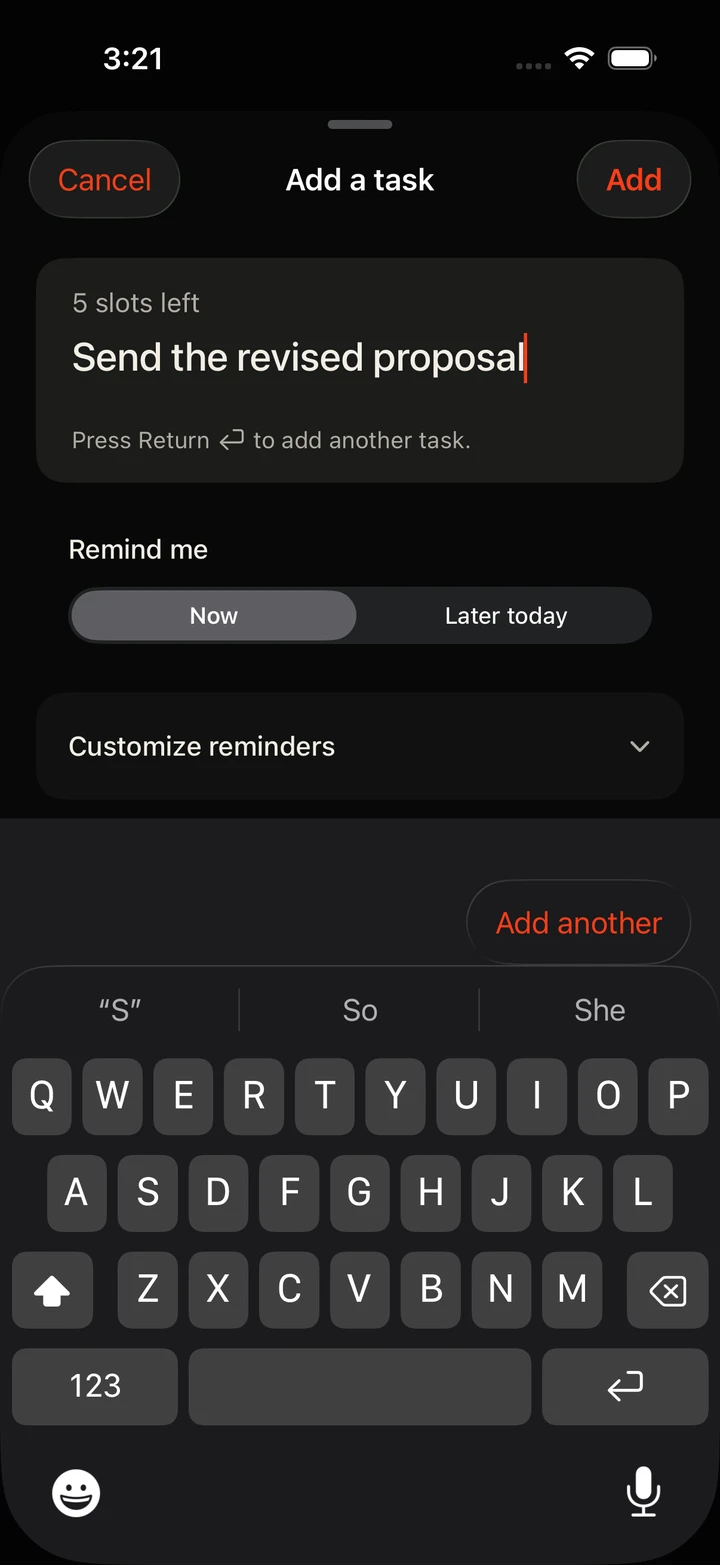
Type. Return. Keep going.
Add another task straight from the keyboard. One meaningful task is enough; five is the limit.
Now or later today.
Choose when reminders begin, right as you add the task. The choice is always in view.
Your defaults are already set.
Just add the task, or open Customize reminders when one needs a different pace.
Persistent.
On your terms.
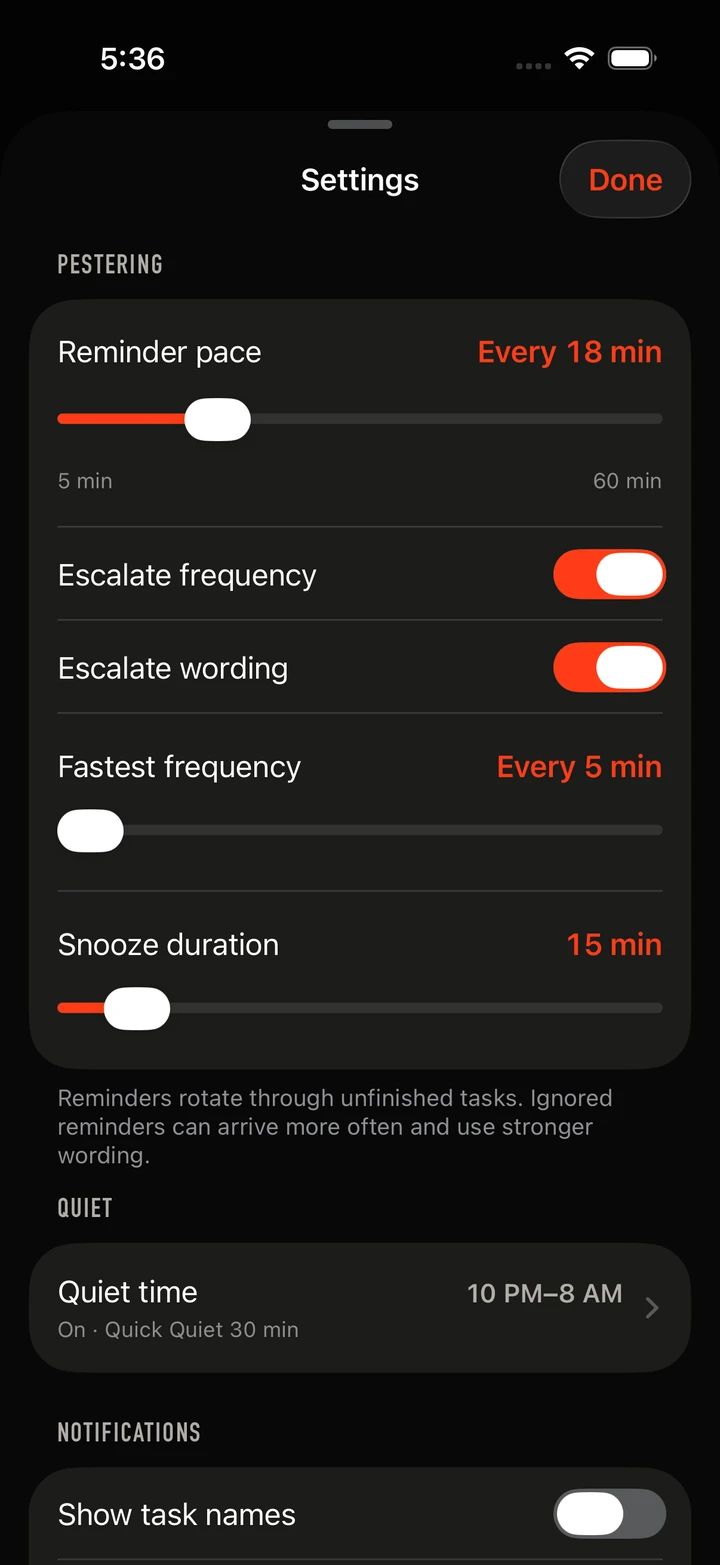
A reminder that comes back is harder to forget. You decide how often, how insistent, and when to leave you alone.
Choose the pace.
Start anywhere from 5 to 60 minutes. Let reminders get more frequent, use stronger wording, or keep things steady.
Make room for quiet.
Set quiet hours, snooze a task, or pause the whole list for a while. Finish a task and its reminders stop.
Keep the list close.
Home Screen widgets show what remains. Reminder actions let you snooze or quiet the list; with task names enabled, you can burn the named task too.
Private by default.
Your list stays on your iPhone. No account, analytics, ads, or tracking. Task names stay out of notifications unless you turn them on.
Read the privacy policyOne purchase.
No subscription and no feature unlocks. The reminders, widgets, and full burn experience are all included.
Your way through.
Finish tasks in any order. Larger text, VoiceOver support, and a quieter ending with Reduce Motion make the list easier to use.
A few things
before you start.
Do I have to add five tasks?
No. Start with one and add up to five. Finish every task on your list and you get the full finale, even if you only added one.
What happens when I finish?
The last task sets off the finale. The list clears and its reminders stop. Undo lets you restore the list if that final tap was accidental.
What if I don’t finish today?
At the next day’s rollover, finished tasks leave the list and unfinished tasks carry forward. You can edit or delete a task whenever plans change.
Can I turn down the pressure?
Yes. Frequency and wording escalation are separate choices. You can switch either off, set quiet hours, or pause reminders from the main list.
Something else? Visit Burn List support.
One less thing
on your mind.
Burn List for iPhone. Pay once. Make room for what matters.